.webp)

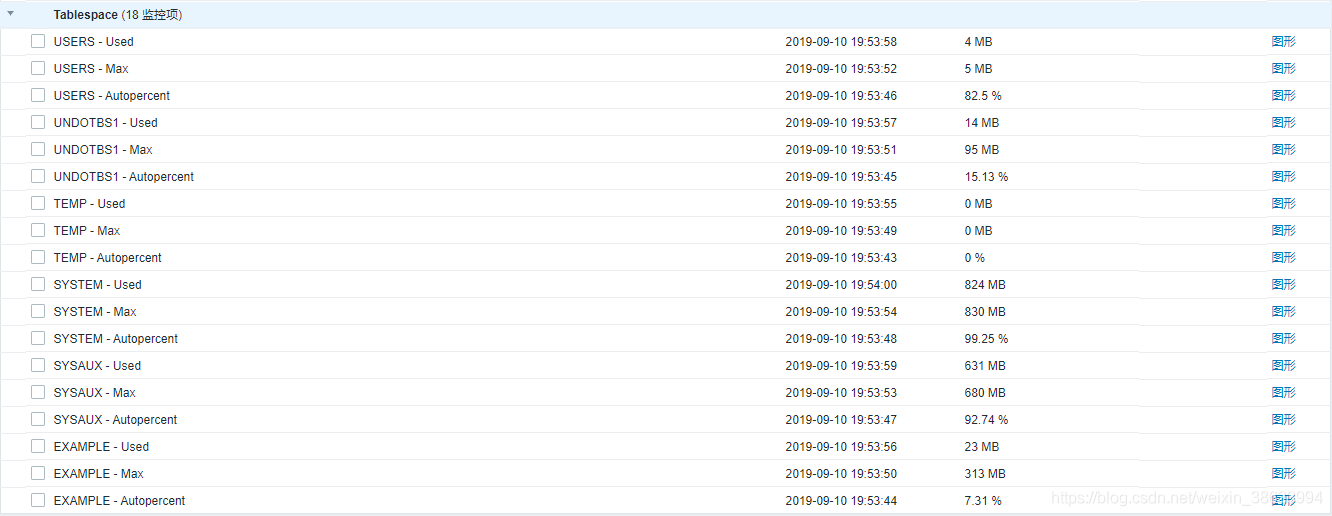
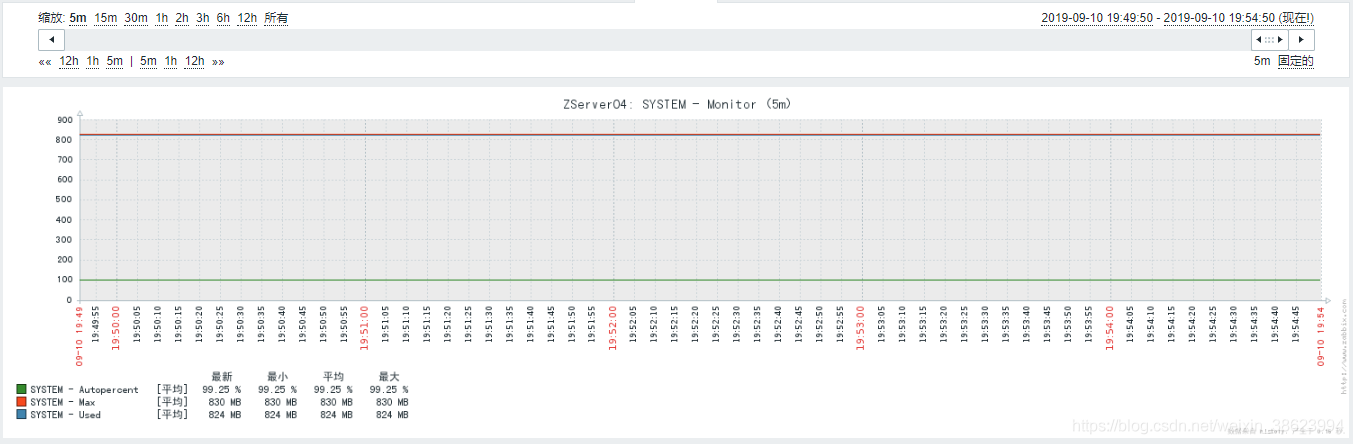
本文也是一种Zabbix对业务系统监控的方法思路,大家可以类推到其他业务系统。
[实施步骤]
1.设置表空间信息定时输出
tablespace.sql代码如下:
set feedback off
set linesize 140 pagesize 10000
col "Status"   for a10
col "Name"     for a25
col "Type"     for a10
col "Extent"   for a15
col "Size (M)" for a15
col "Used (M)" for a15
col "Used %"   for a20
spool tablespace.log
SELECT d.status "Status", d.tablespace_name "Name", d.contents "Type", d.extent_management "Extent",
TO_CHAR(NVL(a.bytes / 1024 / 1024, 0),'99999990') "Size (M)",
TO_CHAR(NVL(a.bytes - NVL(f.bytes, 0), 0)/1024/1024,'999999999') "Used (M)",
TO_CHAR(NVL((a.bytes -  NVL(f.bytes, 0)) / a.bytes * 100, 0), '990.00') "Used %"
FROM sys.dba_tablespaces d,
(select         tablespace_name, sum(bytes) bytes from dba_data_files
group by tablespace_name) a, (select    tablespace_name, sum(bytes) bytes from dba_free_space group by tablespace_name) f WHERE
d.tablespace_name = a.tablespace_name(+) AND d.tablespace_name = f.tablespace_name(+) AND NOT
(d.extent_management like 'LOCAL' AND d.contents like 'TEMPORARY')
UNION ALL
SELECT d.status         "Status", d.tablespace_name "Name", d.contents "Type", d.extent_management "Extent",
TO_CHAR(NVL(a.bytes / 1024 / 1024, 0),'99999999') "Size (M)",
TO_CHAR(NVL(t.bytes,0)/1024/1024,'999999999') "Used (M)",
TO_CHAR(NVL(t.bytes / a.bytes * 100, 0), '990.00') "Used %" FROM sys.dba_tablespaces d,
(select tablespace_name, sum(bytes) bytes from dba_temp_files group by tablespace_name) a, (select
tablespace_name, sum(bytes_cached) bytes from v$temp_extent_pool group by tablespace_name) t WHERE
d.tablespace_name = a.tablespace_name(+) AND d.tablespace_name = t.tablespace_name(+) AND
d.extent_management like 'LOCAL' AND d.contents like 'TEMPORARY'
ORDER BY 7;
spool off
exit
注意:这个路径
spool tablespace.log
需要是我们提供需要生成在哪里的路径
2.配置windows的tablespace.bat 脚本
sqlplus / as sysdba @tablespace.sql※ 此处各位需要注意安全性问题,我提供思路而已。
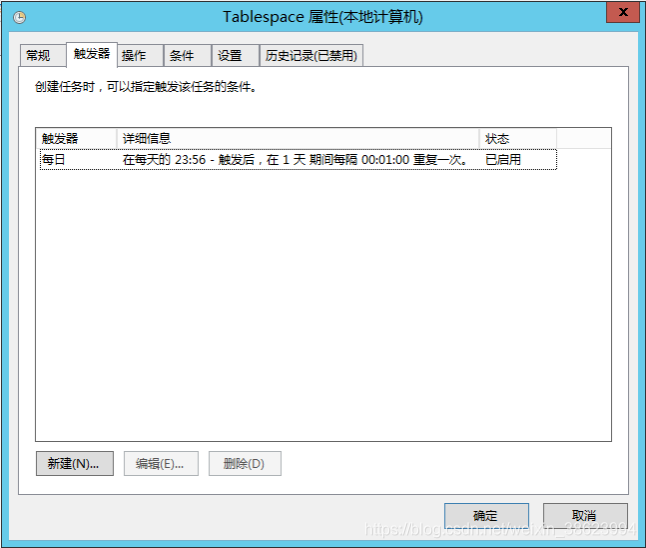
Windows计划任务(1分钟执行一次,5分钟执行一次,10分钟执行一次,大家自己考虑)
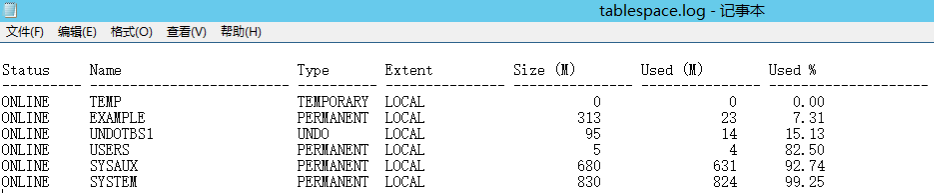
输出结果参考:
3.设置自动发现AutodiscoverTBS.bat脚本
@echo off
Setlocal ENABLEDELAYEDEXPANSION

type c:\Scripts\tablespace.log | awk "{print$2}" | awk "NR>3{print}" > tmp.txt

SET /a INDEX=3
for /F %%i in ('type c:\Scripts\tablespace.log ^| find /v /c ""') do ( set COUNT=%%i)
echo {"data":[
for /F "usebackq eol=# tokens=1,2 delims==" %%T in (tmp.txt) do (
        SET /a INDEX+=1
        if !INDEX! NEQ %COUNT% (
         echo {"{#TABLENAME}":"%%T"},
        ) else (
         echo {"{#TABLENAME}":"%%T"}]}
        )

)
del tmp.txt4.设置截取表空间指定参数值脚本
脚本中,我用到awk命令。此命令在Linux系统环境原生命令,但Windows并没有类似的命令。可以在sourceforge下载awk for windows版本,下载地址参考http://gnuwin32.sourceforge.net/packages/gawk.htm
CheckORATBS.bat
@echo off

if /I %2 EQU max (goto max)

if /I %2 EQU used (goto used)

if /I %2 EQU autopercent (goto autopercent)

:max
type c:\scripts\tablespace.log | find "%1" | awk "{print $5}"
goto Exit

:used
type c:\scripts\tablespace.log | find "%1" | awk "{print $6}"
goto Exit

:autopercent
type c:\scripts\tablespace.log | find "%1" | awk "{print $7}"
goto Exit

:exit
exit5.Zabbix Agent用户自定义参数配置
zabbix_agentd.win.conf配置文件追加参数:
UserParameter=ora.tab.discovery,C:\scripts\AutodiscoverTBS.bat
UserParameter=tablespace[*],C:\scripts\CheckORATBS.bat $1 $2
6.Zabbix Agent服务重启
7.Zabbix Server服务台验证用户自定义参数
zabbix_get -s 192.168.0.94 -k “ora.tab.discovery”
zabbix_get -s 192.168.0.94 -k “tablespace[USERS autopercent]”
zabbix_get -s 192.168.0.94 -k “tablespace[USERS max]”
zabbix_get -s 192.168.0.94 -k “tablespace[USERS used]”
8.设置监控模板
Name 名称 TablespaceDiscovery
Type 类型 Zabbix agent
Key 键值 ora.tab.discovery
Update interval 更新迭代 3600s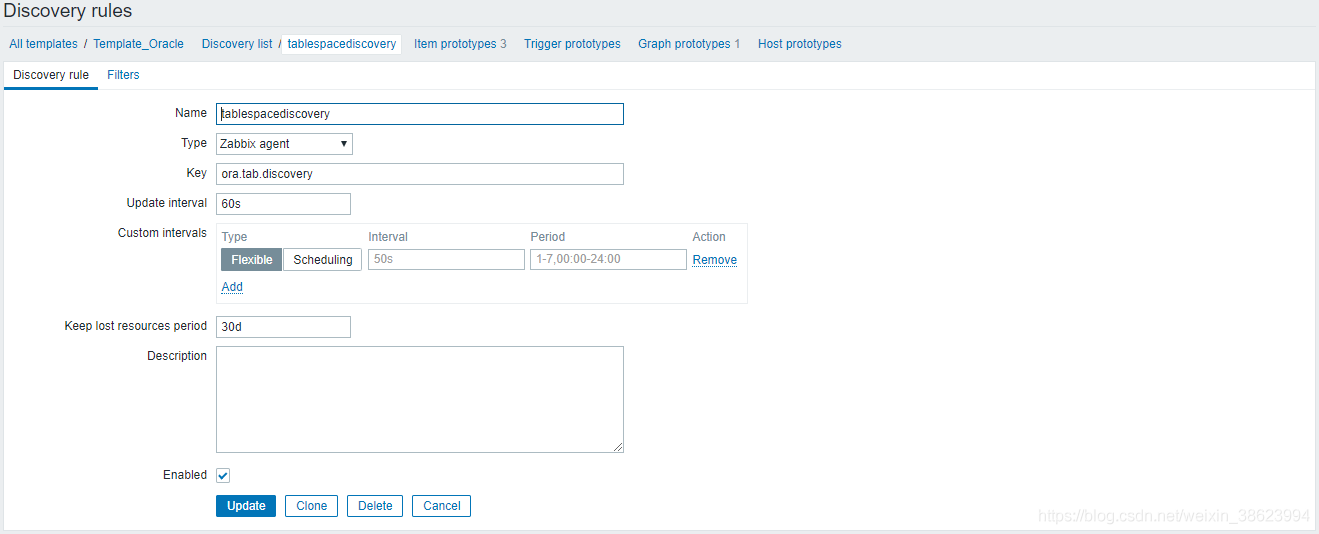
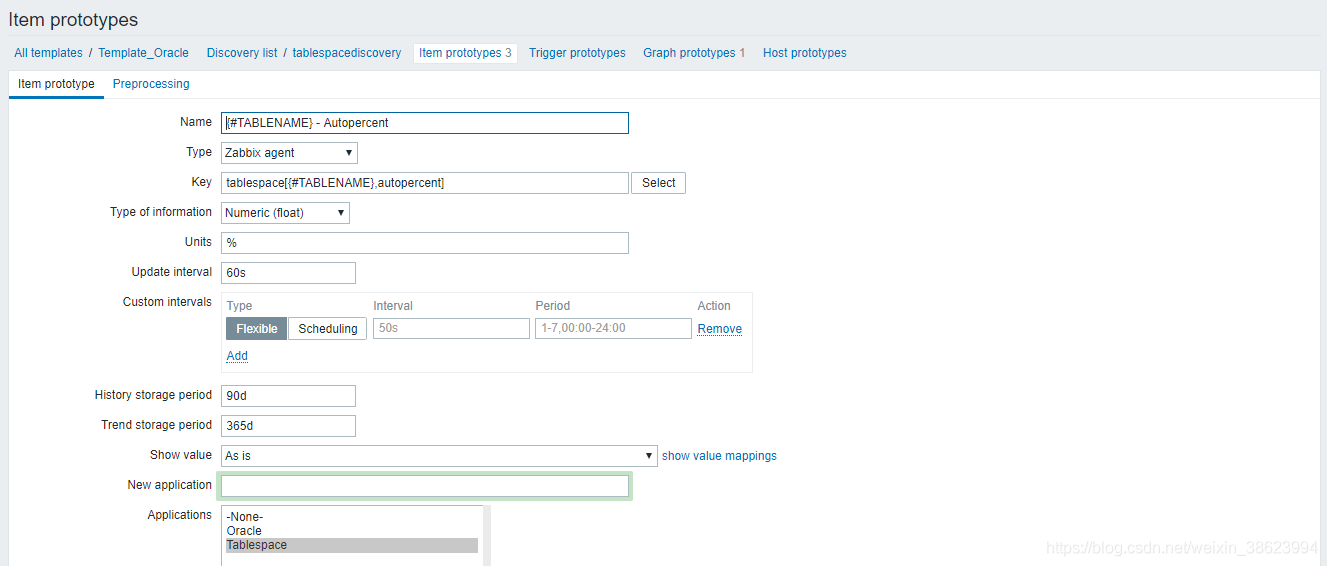
参考监控项原型配置

※ 更新迭代时间,请根据大家的环境要求来配置的。

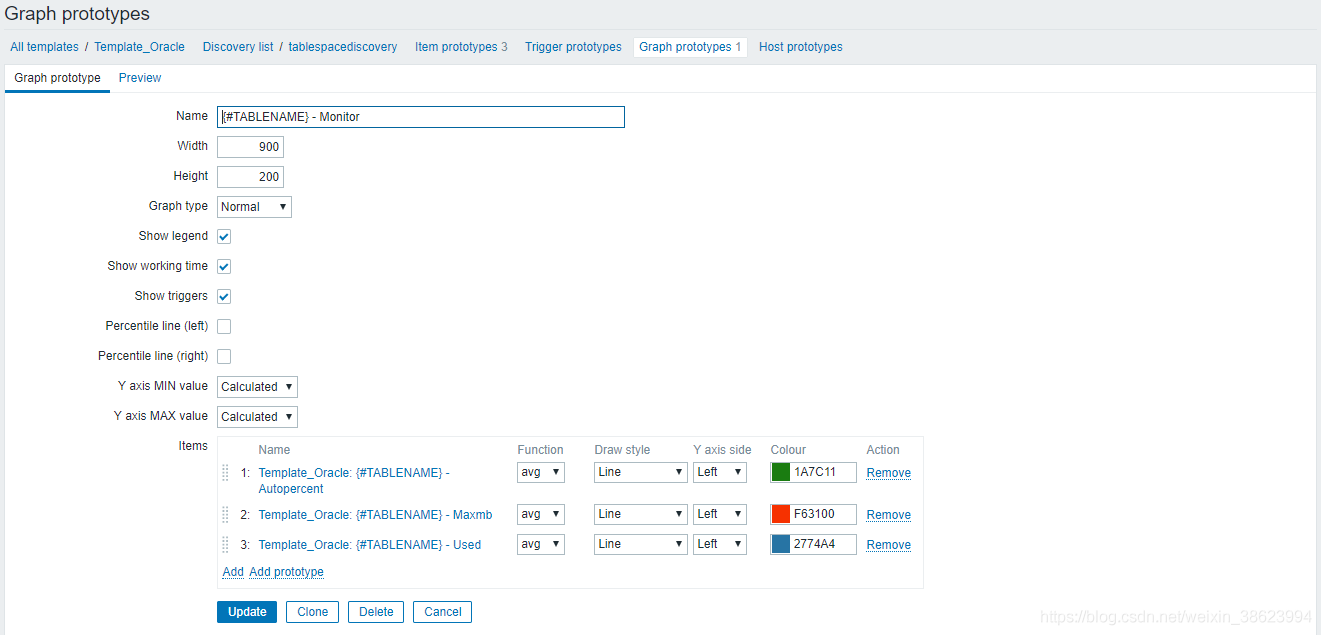
图形原型配置